
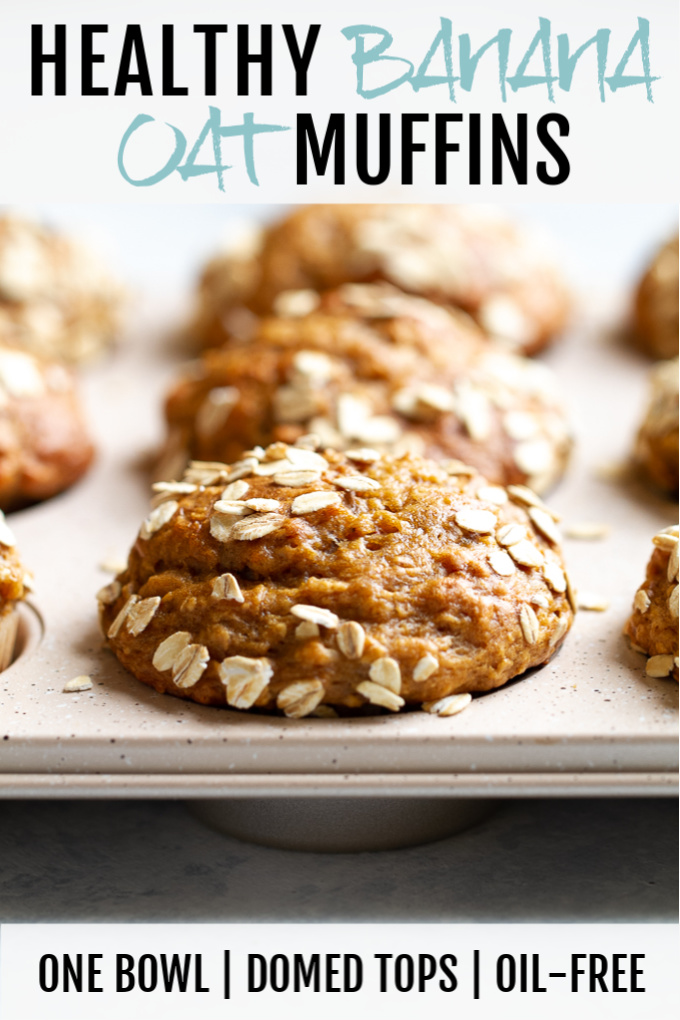
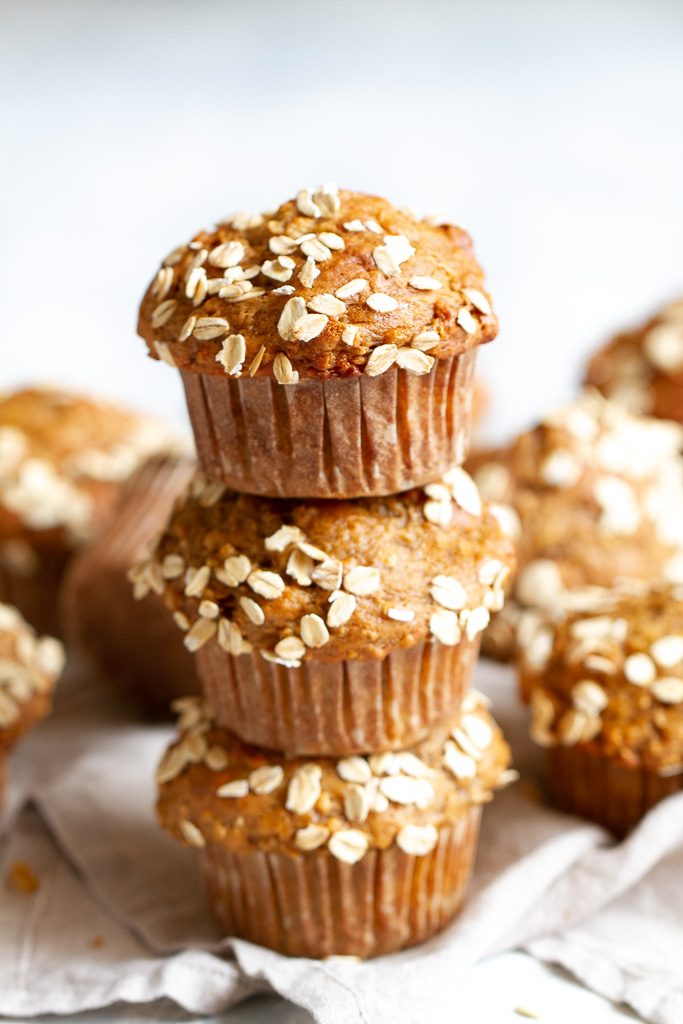
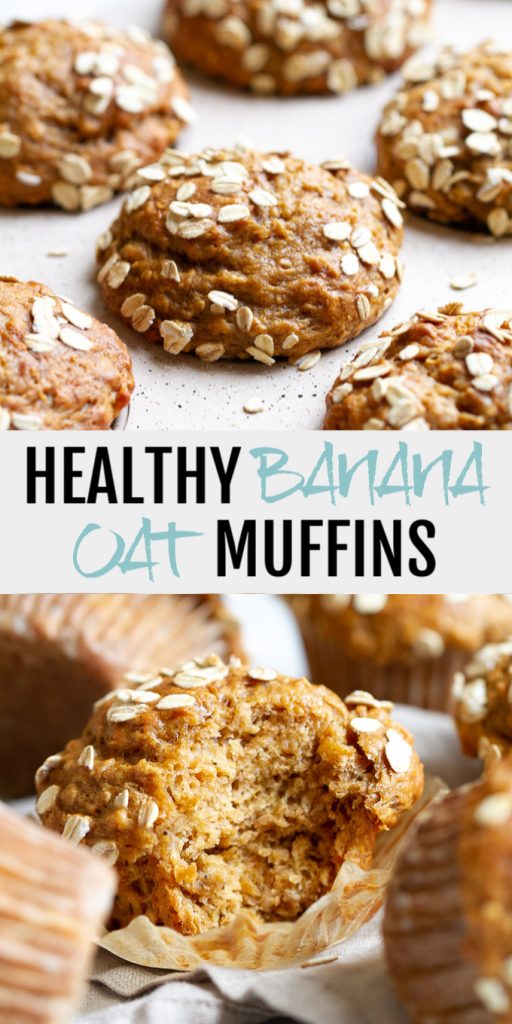
Healthy Banana Oat Muffins made with NO butter or oil, but so soft and tender that you’d never be able to tell! Beautifully domed muffins loaded with plenty of banana flavour, they make a deliciously healthy breakfast or snack!
It’s been a while since muffins made with regular flour made an appearance on Spoons! But after coming across a lone bag of flour on my last trip to the grocery store, I figured it was time to switch things up and give it a go again.
Uhm. Let’s just say it took a few failed trials to remember what I was doing. And by “a few failed trials” I mean you probably wouldn’t want to eat those muffins. See, I’d been making flourless oat-based blender muffins for so long that it took a second to remember proportions and mixing techniques – both pretty important when working with regular flour.
But on the bright side, the failed trials reminded me of what doesn’t work and helped me pick up a tips on how to achieve gloriously fluffy muffins with beautifully domed tops.
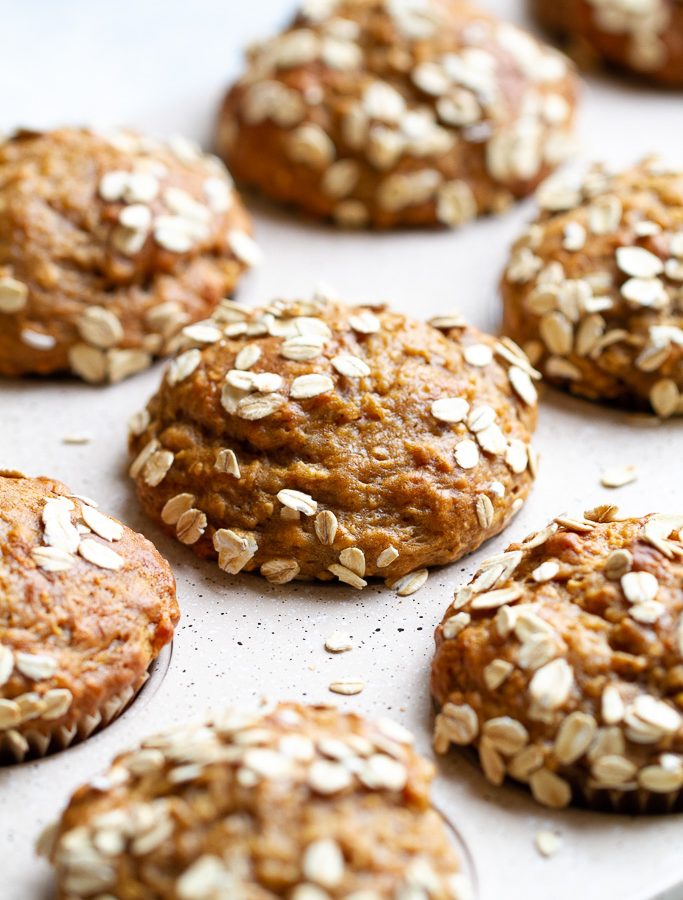
Kind of like the ones in these healthy banana oat muffins. Keep reading for the recipe plus tips that you can apply to basically any muffin recipe to get nice domed tops.
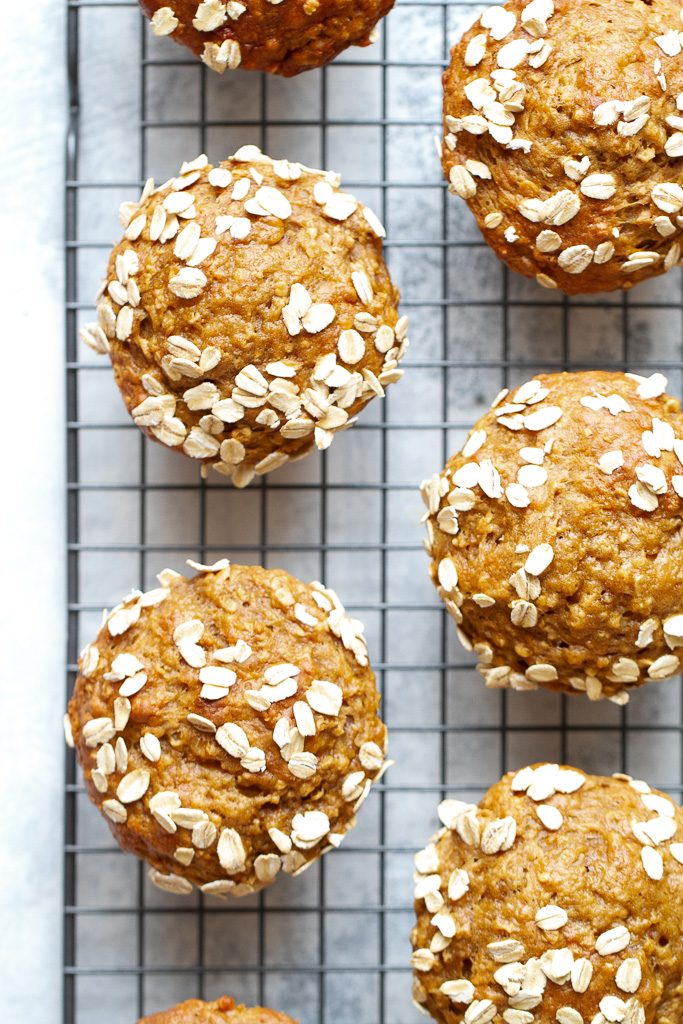
How To Make Healthy Banana Oat Muffins
- All the ingredients get combined in ONE BOWL, so grab one that’s nice and big to make mixing easier.
- Start with the wet ingredients. Break the eggs and beat them a few times to combine the yolks with the whites. Then add the mashed bananas, yogurt, sugar, and vanilla. Stir in the oats along with the baking powder, baking soda, and salt.
- I used coconut palm sugar for my sweetener, but you can replace that with brown or cane sugar as well. Maple syrup will also work, but it will change the texture of the muffins a little bit and you’ll have to use less – maybe 6 Tbsp (90 ml).
- You can also use regular yogurt instead of Greek. And it can be flavoured/sweetened if that’s all you have, but that will affect the flavour and sweetness of the muffins.
- When it comes time to add the flour, add it slowly and mix it into the batter gently. Some lumps are totally fine if it means mixing fewer times. You want to handle the batter as little as possible after the flour goes in.
- I used all-purpose flour because it was all I could find, but you can swap half of it for whole wheat flour. So it would be 3/4 cup (90 g) all purpose and 3/4 cup (90 g) whole wheat flour.
- I really recommend either using parchment paper liners or greasing your muffin cavities well. These muffins will probably stick to paper liners.
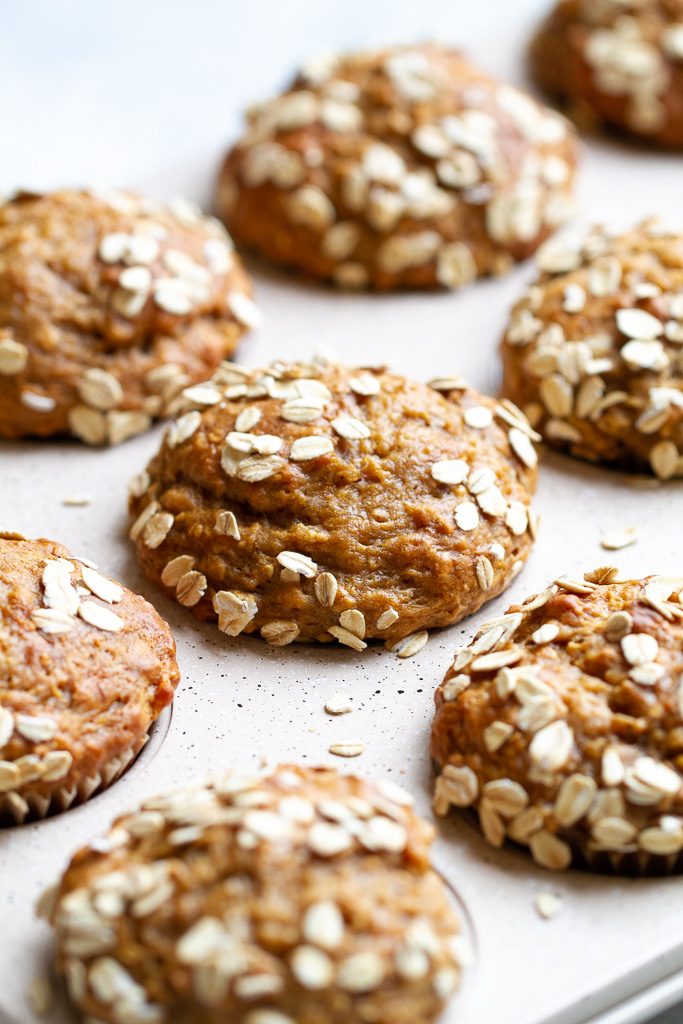
How To Get Muffins With Domed Tops
I did a little bit of experimenting and researching to figure out how to get those nice domed muffins tops, and these are some of the tips I picked up:
- Flour matters! A whole wheat flour will never rise as much as a white flour because it’s heavier. If you really want to cut back on the white flour, use a combination of half whole wheat and half white for best results.
- Temperature matters! A starting temperature of 425ºF (218ºC) gives the muffins a nice big boost of heat which allows the tops of the muffins to rise, set, and hold their shape while the rest of the muffin continues to cook. But only keep them at this temperature for 5 minutes and then turn the oven down to 350°F (176°C) for the remainder of the baking time. This prevents them from burning to a crisp.
- Baking powder and baking soda matter! You always want to make sure your leaveners are fresh – never more than 6 months old. And to get nice domed tops, you want to use more baking powder. The general rule is 1 tsp of baking powder per 1 cup of flour, but in this case we use 1 1/2 – 2 tsps per cup of flour.
- The way you mix the batter matters! Never, ever, ever mix your batter too vigorously or for too long. You want the flour to just barely be combined into the wet ingredients, and as soon as it disappears, STOP. This is because mixing flour with liquids activates the formation of gluten and the more you stir or knead the batter or dough, the longer and tougher those gluten molecule chains get. This in turn makes baked goods tough, gummy, chewy, and unevenly cooked. To avoid this, handle the batter as little as possible.
- How much you fill your muffin cavities matters! Fill them all the way to the top. All the way! And you can even overfill them a little bit. More batter = more muffin, and I promise you (with this recipe at least) that the batter won’t spread and leak off the side of the muffin pan to form a molten lake at the bottom of your oven. This might mean that you only get 10 muffins instead of 12 but they’ll be 10 gloriously fluffy and dome-y muffins.
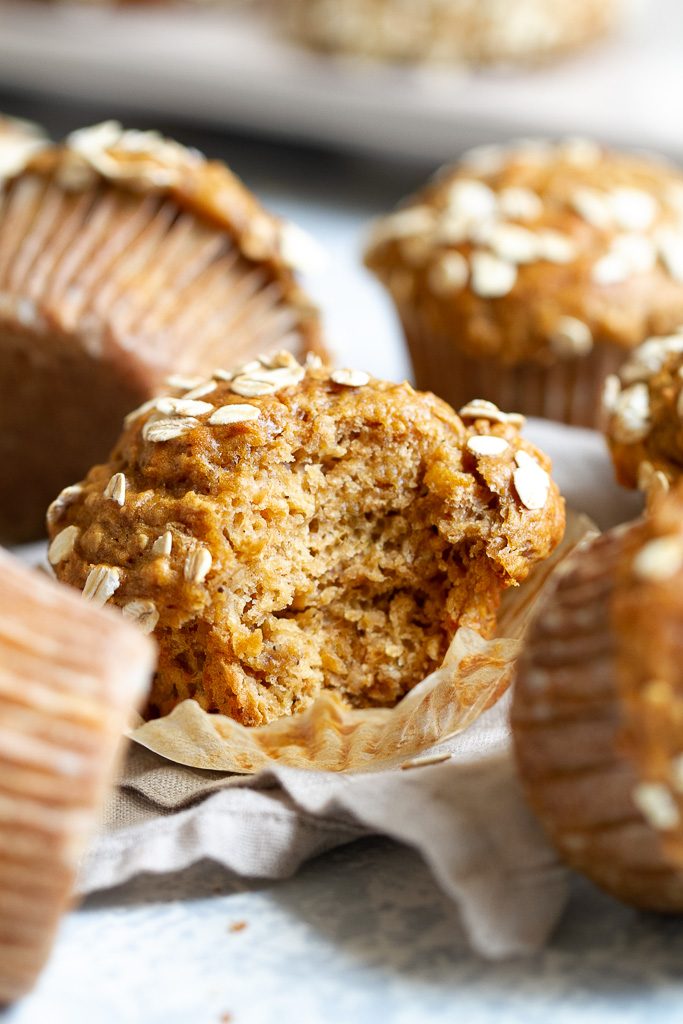
Okay, But What Are They Like?
Soft, tender, loaded with flavour, and soooo fluffy. I mean, just look at the inside of those little guys! You’d really never be able to tell that they’re made without any butter or oil. AND! as an added bonus, you get those beautifully domed tops that make muffins look so much more appealing.
The whole recipe is made in one bowl to keep things simple, and while adjusting oven temperatures mid-bake might seem like a pain in the butt, I’ve found the easiest way to deal with it is to set the timer on your phone to 5 minutes, do the cleanup, lower the temperature when the timer goes off, and then re-set a timer for another 15 minutes. Easy peasy.
You can also toss in some add-ins like chocolate chips, dried fruit, or nuts, depending on what you’re craving at the time.
Happy eating!
I’d love to know if you make this recipe! Leave a comment and rating down below to let me know what you think, and subscribe to our mailing list to receive new recipes in your inbox!
Print
healthy banana oat muffins
- Total Time: 30 minutes
- Yield: 12 muffins
Ingredients
- 2 large eggs
- 1/2 cup (115 g) plain 2% Greek yogurt
- 2 medium-sized ripe bananas, mashed (240 g or 1 cup)
- 1/2 cup (100 g) coconut palm sugar*
- 1 tsp vanilla extract
- 3/4 cup (60 g) quick oats
- 2 tsp baking powder
- 1/2 tsp baking soda
- 1/4 tsp salt
- 1 1/2 cups (180 g) all purpose flour**
- optional: 1/2 cup of add-ins like chocolate chips, druid fruit, nuts
Instructions
- Preheat your oven to 425ºF (218ºC) and prepare a muffin pan by lining the cavities with parchment paper liners or greasing them with oil. Set aside.
- In a large mixing bowl, lightly beat the eggs until the yolks break apart. Whisk in the yogurt, mashed bananas, sugar, and vanilla, mixing until smooth.
- Stir in the oats, baking powder, baking soda, and salt. Finally, spoon in the flour and gently stir it in until just combined, making sure to not overmix. If you’re using any mix-ins, fold them in now.
- Spoon the batter into the prepared muffin cups, filling them right to the top. You can sprinkle some oat flakes on top of each muffin if you want.
- Bake the muffins at 425ºF (218ºC) for 5 minutes. Then, without opening the oven door, lower the temperature to 350°F (176°C) and bake for an additional 15-17 minutes. The tops of the muffins should begin to turn golden brown and a toothpick inserted into the center should come out clean. Allow the muffins to cool in the pan for 10 minutes before transferring them to a wire rack to cool completely. As soon as they’ve cooled, transfer them to an airtight container and store them at room temperature for up to 5 days, or freeze for up to 3 months.
Notes
* You can also use brown sugar or cane sugar. A liquid sweetener like maple syrup or honey will also work, but decrease the amount to about 6 Tbsp (90 ml).
** You can also use a mix of all purpose and whole wheat flours. Use 3/4 cup (90 g) all purpose and 3/4 cup (90 g) whole wheat.
- Prep Time: 10 mins
- Cook Time: 20 mins
Looking for more healthy muffin recipes? Try one of these!
Banana Oat Greek Yogurt Muffins
Easy Vegan Chocolate Muffins
Blueberry Oat Greek Yogurt Muffins
Easy Morning Glory Muffins
Healthy Banana Nut Muffins

*Disclosure: Some of the links included in this post may be affiliate links, meaning I’ll earn a small commission if you purchase through them, at no additional cost to you. I only recommend products I personally use and believe will add value to my readers. Thank you so much for helping support Spoons!
I found your blog recently and really enjoyed reading it. The way you explained the topic was simple, clear, and easy to follow. It made everything much easier to understand. Improve your business workflow with accurate data entry, organization, validation, formatting, and document processing. Whether handling spreadsheets, databases, or large datasets, Hire Data Processing Expert to manage information efficiently, reduce manual errors, maintain organized records, and deliver reliable results according to your project requirements.
I was glad you mentioned greasing the muffin tin or using parchment liners, since I’ve had banana muffins weld themselves to paper before. I usually just spray the pan, but I’ll try parchment next time. Do you find the muffins are sweet enough with the coconut palm sugar, or would you add a little more?
Tangem Wallet combines certified secure hardware with a modern mobile application to create a streamlined cryptocurrency management experience. The wallet does not require charging, cables, or complicated setup procedures.
The five-minute blast at 425°F is a clever trick. I’m sharing it with my baking group and wondering whether it works for other muffin recipes too.
Ledger Live Login offers a convenient way to access and manage digital assets through a user-friendly interface. It helps users monitor accounts, review transactions, and manage supported assets efficiently. Always use official sources, verify website addresses, and protect your recovery phrase to keep your wallet experience secure.
Why aren’t you ready to get in touch with us and meet our top Dehradun high-end whores? We’re certain you’ll want to duplicate the experience!
Make the celebration extra special with a wedding champagne gift basket, the ready-to-give present that looks as good as it tastes. Each basket is beautifully arranged, so you can skip the wrapping and simply surprise the newlyweds, the bridal party, or the parents of the bride and groom.
Our champagne gift baskets suit every wedding moment, from engagement parties and bridal showers to rehearsal dinners and the big day itself. They also work well as a thank-you for hosts and wedding guests.
Models of the highest calibre are available with pre-booking facilities.
Ledger Wallet is a hardware wallet designed to help users secure and manage digital assets with greater control.
Shop the Cat Fight 5 Piece Costume Set from Lumiyahu, featuring a black jumpsuit, mask, belt, gloves, and cat ears. This stylish black cat Halloween costume creates a complete look for parties, events, and themed occasions, with sizes from XS to 4X.
I appreciate how this article highlights the practical side of immersive technology rather than focusing only on trends. AR/VR custom software development can help businesses create solutions that fit specific workflows, users, and long-term goals.
The five-minute 425°F start caught my eye. I’d usually keep one oven temperature, so I’m curious whether switching to 350°F really preserves those domed tops.
Shop personalised pillows, Hug Me Pillows and luxury cushions across the UK with The House of Fandango. Explore unique gifts, wellbeing pillows, sensory-friendly designs and comforting cushions for children and adults. Find thoughtful and meaningful gifts for every occasion.
Good applied-AI overview. Similar UX lessons guide Ba-Zi.ai for astrology charting.
Discover Rainbow Wallet, a smart and secure crypto wallet designed for modern users. It supports Ethereum and multiple tokens with a simple, colorful interface. Rainbow Wallet offers built-in swaps, NFT management, and real-time market data. With strong privacy protection, fast transactions, and easy backups, it’s perfect for beginners and advanced crypto users looking for reliability and convenience.
Looking for the best wine for a wedding gift? Our top 5 picks include La Marca Prosecco, Silver Oak, Cakebread Chardonnay, Opus One, and Caymus, each one a great choice for newlyweds, wedding toasts, and engagement celebrations. Every bottle comes with personalized gift packaging and a custom message card, so it feels like a thoughtful gift and not just a bottle of wine.
These healthy banana oat muffins look absolutely delicious! It’s funny, looking at wholesome, preventative nutrition recipes like this makes me think about how much the virtual health services market is booming right now. Just like baking wholesome whole-grain snacks to proactively take care of our physical well-being at home, telehealth platforms, digital nutrition coaching, and virtual wellness apps are making it so much easier for people to get personalized health guidance right from their kitchens.
A champagne wedding gift is a timeless way to celebrate a couple’s special day and toast to their new beginning. Choose from beautifully presented champagne bottles, personalized designs, and elegant gift options that make the occasion feel even more memorable.
This blog is useful and I am impressed with useful information.
Flying through Charlotte Airport with American Airlines means passengers can find help, with reservations, ticket changes, flight schedules, check-in questions and itinerary updates. Searching for the American Airlines phone number Charlotte can help travelers find customer‑service resources and manage trip details before heading to the airport.
Fliban 100 mg is a medication designed to help treat low sexual desire in women by targeting brain chemicals that influence libido. It works by balancing neurotransmitters to support a healthier sexual response. Typically taken daily, it is intended for long-term improvement rather than immediate effects. Purchase genuine Fliban 100 mg safely from Medspillz.
Vidalista 40 mg contains tadalafil, a PDE-5 inhibitor used to treat erectile dysfunction (ED) by increasing blood flow to the penis, helping achieve and maintain an erection when sexually stimulated. It’s taken before activity and may last up to 36 hours. Consult a doctor, side effects and precautions apply from Meds4store.
I like this healthy banana oat muffins. Its so yummy and tasty.
Ledger Live is a crypto wallet management platform designed to help users securely manage digital assets. It provides tools for viewing balances, sending and receiving supported cryptocurrencies, and monitoring portfolio activity.
Every musical battle in Friday Night Funkin introduces fresh songs and unique opponents, keeping the gameplay exciting from start to finish.
Thanks for sharing such valuable and practical insights.
DRUFF® Allzweckreiniger auf Mikrobenbasis sorgt für eine gründliche und schonende Reinigung. Er entfernt Schmutz und unangenehme Gerüche in Küche, Bad, Auto und bei Haustieren. Umweltfreundlich, vielseitig und praktisch für die tägliche Reinigung zu Hause und unterwegs.
Great article, very informative and easy to understand.
I found this site helpful for discovering AI-generated live streams. Check out AI Live Index for AI hosts and 24/7 AI TV. ai live index official site
I love that these muffins stay soft and tender without any butter or oil—banana seems to do all the work. They sound perfect for using up overripe bananas and keeping on hand for a quick breakfast; I’m curious whether old-fashioned oats or quick oats give the best texture.
The two-stage temperature change is a useful detail; starting hot for the dome and then lowering the oven seems easier to reproduce than simply chasing a higher rise. When you swap in whole-wheat flour, do you also change the yogurt or liquid, or is the gentler mixing enough to keep the muffins tender?
This article provides useful insights into AI software development solutions and their role in building smarter business applications. The discussion around architecture and implementation is especially valuable.
These banana oat muffins remind me of how sometimes in basketball, you have to try a few different shots before you find your rhythm. Just like perfecting a recipe, it takes practice! Speaking of practice, have you checked out Basketball Stars? It’s a great platform to hone your skills and connect with other basketball enthusiasts.
The 425°F start lifts the domes because quick heat sets structure early.
The Arculus Wallet offers secure cold storage through a durable metal NFC card and companion mobile app. With 3FA security, Web3 connectivity, and support for thousands of tokens, it enables safe sending, receiving, swapping, and staking. Perfect for users prioritizing self-custody without batteries or cables.